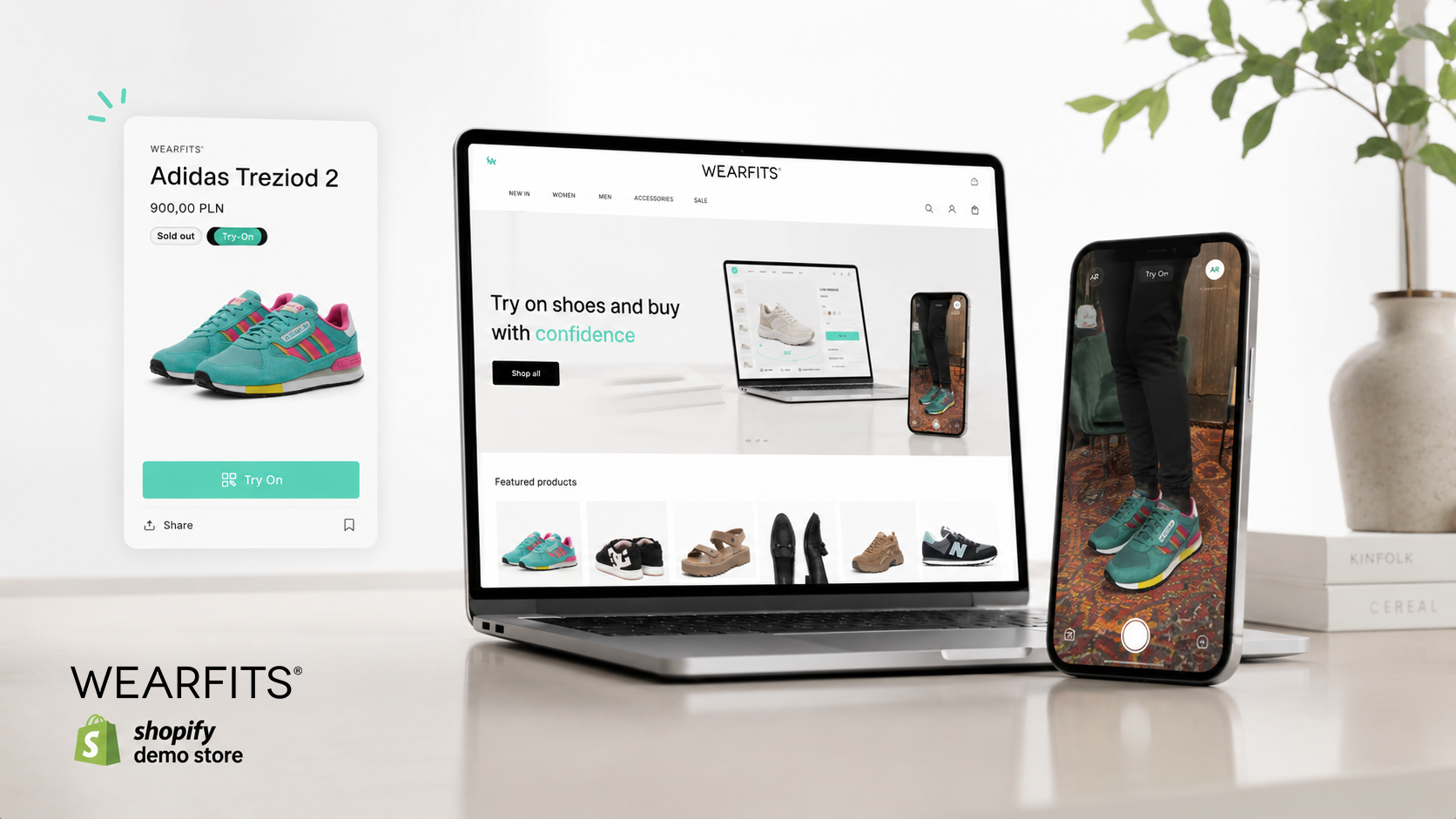
Online shoppers want confidence before they buy. For footwear brands, that means giving customers a better way to understand how a product will look on them before they add it to cart.
That is exactly why we built the WEARFITS Shopify Try-On App.
With WEARFITS, your customers can virtually try on shoes directly from your Shopify product pages. It creates a more engaging shopping experience, helps customers make faster decisions, and gives your store a powerful new way to stand out.
Whether you are just starting with virtual try-on or preparing to roll it out across more of your catalog, this guide will walk you through the setup process step by step.
Step 1: Install the WEARFITS App
Getting started is quick and simple.
Go to the Shopify App Store and search for “WEARFITS.” Once you find the app, click Install. Shopify will then take you to your admin panel, where you will need to confirm the installation by clicking Install again.
After that, the WEARFITS app will be added to your Shopify store.
Step 2: Start the Onboarding
Once the app is installed, you will land on the WEARFITS welcome screen.
To get familiar with the setup, click “Show me how it works.” This short onboarding flow will guide you through the main features of the app and show how virtual try-on can appear inside your store.
It is the easiest way to understand how WEARFITS fits into your existing product page experience.
Step 3: Choose the Products for Virtual Try-On
You do not need to activate virtual try-on for every product right away.
WEARFITS gives you the flexibility to select products by category, product type, or a specific group of items. For example, you can choose only a few shoes from a larger collection if you want to test the experience before expanding it.
This makes it easy to start small, measure performance, and scale virtual try-on at your own pace.
Step 4: Customize the Try-On Button in Your Theme
The WEARFITS try-on experience is managed through the Shopify Theme Editor.
From there, you can decide where and how the Try-On button appears on your product detail pages. You can turn the button on or off depending on your store setup and make sure the experience fits naturally with your brand design.
This gives you full control over how virtual try-on is presented to your customers.
Step 5: Select the Plan That Fits Your Store
WEARFITS offers several plan options, from a free demo to advanced tiers for growing brands.
For many Shopify stores, the Silver Tier is the recommended starting point. It is designed for brands that are ready to test virtual try-on on a larger scale and turn it into a meaningful part of their online sales experience.
As your catalog and needs grow, you can choose the plan that best matches your business goals.
Step 6: Generate and Review Your 3D Models
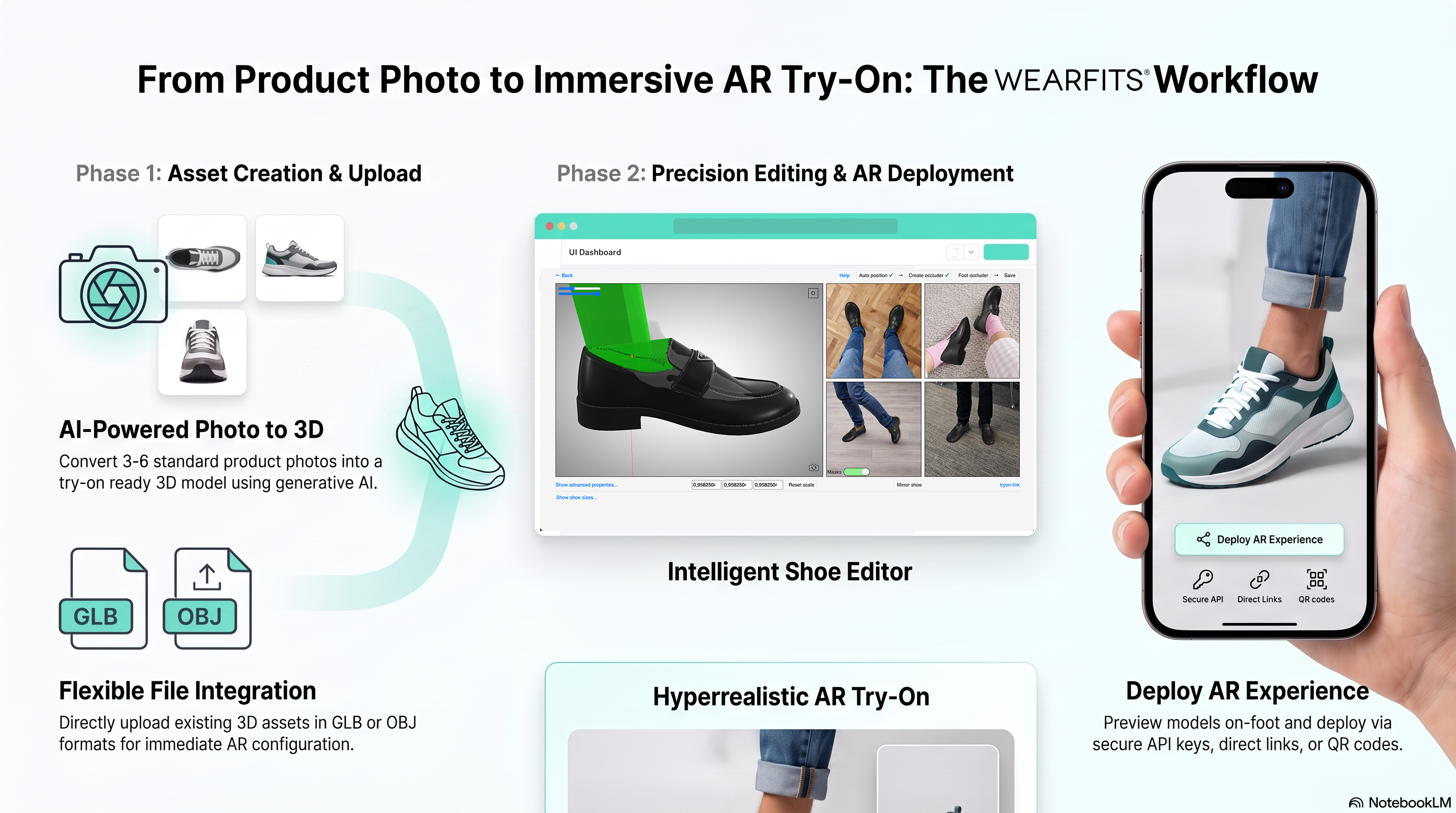
After you select your products, WEARFITS begins generating AI-powered 3D models for them.
Our technology is designed to create high-quality results, but we also know that some products may need an extra level of refinement. That is why the app includes a “Fix 3D Model” button.
If something does not look right, you can submit feedback directly through the app. Our expert design team will review your comments and manually improve the model so your products are represented as accurately as possible.
Step 7: Preview and Go Live
Before publishing the try-on experience to your customers, click “View in store.”
This lets you preview how WEARFITS looks and works on your live product detail pages. Once everything feels right, you are ready to make virtual try-on available to your shoppers.
Need Support?
Adding virtual try-on to your Shopify store is a big step toward creating a more interactive, confident, and modern shopping experience.
The WEARFITS team is here to help you through the process. If you have any questions during setup, reach out to us and we will be happy to support you.
Ready to bring virtual try-on to your Shopify store?
Install WEARFITS today and give your customers a better way to shop footwear online.