Shopify
AR Try-On
2D-to-3D

Let’s get the uncomfortable part out of the way: if you’re reading this, you probably don’t have Nike’s budget. Or Adidas’s 3D team. Or a six-month runway to figure out whether virtual try-on is worth it.
You’re somewhere in the middle. You sell shoes online. Returns are eating your margin. Customers keep asking “will these actually look good on me?” and your product page answers with... six photos from slightly different angles.
We get it. We built WEARFITS for brands in exactly this position — and honestly, we’ve learned most of what we know from watching VTO projects fail. Including some of our own early ones. (We’re not going to pretend otherwise.)
This guide is what we wish someone had given us three years ago. No hype, no “revolutionary” claims. Just what actually works when you’re trying to get virtual try-on live across a real shoe catalog.
Here’s a story you’ll recognise if you’ve been in e-commerce long enough.
A brand sees a VTO demo. The demo looks amazing — it always does. Clean AR overlay, great lighting, smooth tracking. Everyone in the room nods. The pilot gets approved. The team picks 8-10 hero SKUs. The pilot launches. Engagement goes up. Conversion lifts on those SKUs.
And then... nothing. The project stalls at SKU 12.
Not because the technology broke. Because the workflow broke.
Most VTO platforms need high-quality 3D models as input. If you have 300 SKUs and a new collection every season, creating those assets manually costs somewhere between $200–$800 per product and takes 3–7 days each. Quick napkin math: that’s $60,000–$240,000 before you’ve enabled try-on on a single product page.
And that’s just the initial catalog. Every seasonal refresh? Same cost. Every new drop? Same timeline. Every limited edition? You guessed it.
Mid-market brands don’t have a 3D team on standby. The pilot launches with hero products. The full catalog stays static. The “Try On” button becomes a decoration on your best-sellers while 90% of your inventory sits there with plain photos.
We’ve seen this pattern dozens of times. A brand launches VTO on 8 products. Those 8 products see a 20–30% conversion lift. Everyone celebrates. Then someone asks “so when do we roll it out to the other 292 SKUs?” and the room goes quiet.
Scaling VTO isn’t a technology problem. It’s an operations problem. And operations problems don’t get solved by buying more licenses — they get solved by rethinking the asset pipeline.
60–70% of online shoppers browse on mid-range Android devices. If your VTO takes 8 seconds to load and stutters during tracking on a Samsung Galaxy A-series, you haven’t added a feature. You’ve added a frustration.
We learned this the hard way, by the way. Our early demos looked gorgeous on flagship phones. Then we tested on a three-year-old Xiaomi and... let’s just say the shoe appeared to float two inches to the left of the foot. Humbling.
The bar has moved. Virtual try-on used to be a novelty — shoppers were impressed just because it existed. In 2026, ASOS has launched VTO across 10,000 products. Nike has had it for years. The baseline expectation has shifted.
Here’s what your customers actually want:
Shoppers want the shoe to look like it’s on their foot. Correct proportion, correct angle, consistent tracking as they move. This sounds obvious. It is not technically obvious.
Sneakers are relatively straightforward — clean edges, predictable shapes. But stilettos? Ankle boots? Open-toe sandals with ankle straps? That’s where most platforms quietly fall apart. If a vendor only shows you sneaker demos, ask yourself why.
Product pages with VTO that loads in under 2 seconds see up to 94% higher conversion rates than pages with only 2D images. But if your try-on takes forever to initialise and then drops frames, you’ve done something worse than not having VTO at all — you’ve shown the customer that your technology doesn’t work.
The psychology here is real: a smooth VTO experience makes shoppers think “this looks good on me.” A laggy one makes them think “this brand doesn’t have its act together.”
No app download. No sign-up. One tap on the product page and the camera opens. Anything more than that and your adoption rate will look like a sad graph at a board meeting.
Web-based VTO with instant camera activation is the only model that works at scale. QR codes, app installs, multi-step flows — these all looked reasonable on paper and died in real-world testing.
We’re not going to tell you virtual try-on will save your business. (If someone does tell you that, walk away.) But we can tell you what doing nothing actually costs, because the math is not complicated.
Footwear returns in e-commerce average around 18%. For a brand doing $1M in annual shoe sales, that’s $180,000 flowing back. Processing each return costs $10–$20. If 20–30% of returned shoes can’t be resold as new, you’re also eating inventory write-offs.
VTO typically reduces return rates by 20–40%. For that same $1M brand, even a conservative 25% reduction means roughly $45,000 in avoided returns plus $9,000–$18,000 in saved processing costs. That’s $54,000–$63,000 in annual impact from a single feature.
Not transformative. Not revolutionary. Just... sensible.
Here’s what we’ve noticed: shoppers compare. They browse Nike with VTO enabled, then land on your product page with six static photos. The mental calculus is instant.
This isn’t about panic. It’s about timing. The window to adopt VTO as a differentiator is closing. The window to adopt it as a baseline is open right now. In a year, it’ll just be table stakes.
We’re going to be direct: we’re not the biggest company in this space. We don’t have thousands of enterprise clients. What we do have is real deployments with real brands, and some honest lessons from the process.
Hockerty is a custom footwear brand — not a household name, but a genuinely interesting integration challenge. They needed AR shoe try-on embedded directly into their product configurator. We built it. The result: conversion rate increased, engagement lifted, and shoppers started spending more time with the product before buying.
Were the traffic numbers massive? No. Hockerty is a niche brand. But the pattern was clear: when customers can see the shoe on their foot in real-time, they buy with more confidence and return less.
We’ve worked with a global sportswear brand you’d recognise immediately. For contractual reasons we can’t say much, but it was a campaign-based integration — shorter timeline, focused scope. It taught us a lot about working with enterprise-level asset pipelines and brand guidelines.
The takeaway wasn’t a headline metric. It was a workflow lesson: even big brands struggle with the gap between “great demo” and “live across the catalog.”
We’re currently working with one of Europe’s largest fashion retailers. We can’t share names or numbers yet, but the scale of this deployment is significantly bigger than anything we’ve done before. What we can say is that the same problems we’ve been solving — asset pipeline, catalog coverage, device performance — apply at every scale. They just get louder.
Across our deployments, we’ve processed over 73,000 virtual try-on sessions in the last 60 days. That’s not a theoretical number from a pitch deck. It’s real shoppers, on real product pages, actually using the feature.
Is that a lot? For a company our size, yes. Compared to Nike? Obviously not. But every one of those sessions represents a shopper who tried before they bought — and that’s the whole point.
We’re biased, obviously. But here’s what we’d suggest you evaluate, whether you choose us or someone else.
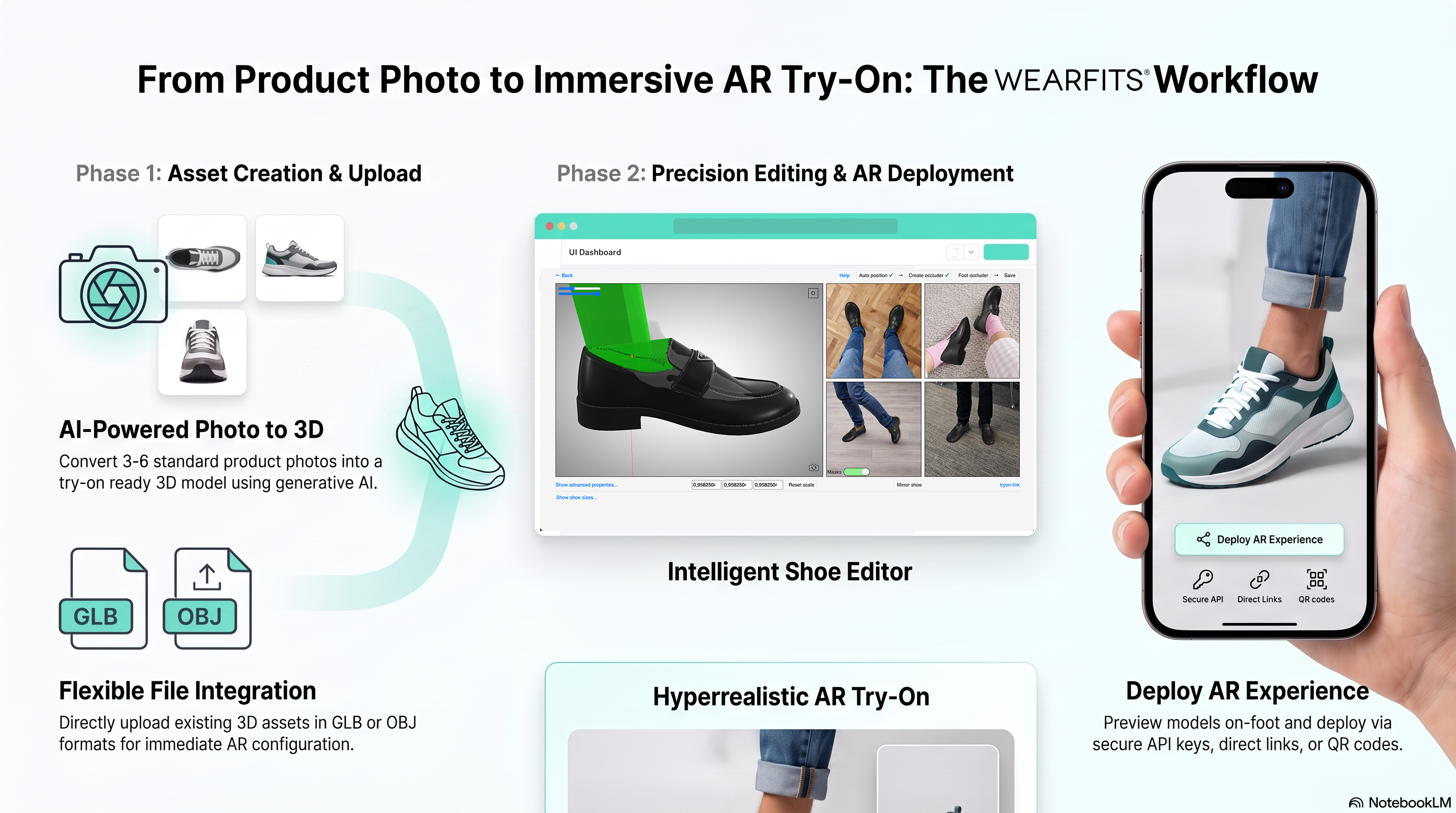
The difference between a platform that requires CAD files and one that generates VTO-ready assets from a single packshot is the difference between a pilot and a production system. Your team already has packshots. That should be enough.
At WEARFITS, we can go from one product photo to a VTO-ready 3D asset in hours. No CAD, no 3D specialist, no manual cleanup. When asset creation is that simple, seasonal refreshes stop being a crisis.
Ask your vendor: “Show me VTO on an open-toe sandal with ankle straps.” If they hesitate, that tells you everything.
Our hybrid 2D/3D pipeline handles everything from chunky trainers to delicate stilettos. We won’t pretend every single style renders perfectly on day one — but the system adapts, and the quality ceiling is high.
A real-time try-on experience that loads in under 2 seconds on a mid-range Android is worth more than a photorealistic demo on an iPhone 15 Pro. We optimize for the devices your customers actually use, not the ones your sales team demos on.
If enabling VTO on a new SKU requires a support ticket to the vendor, the platform won’t scale. Period.
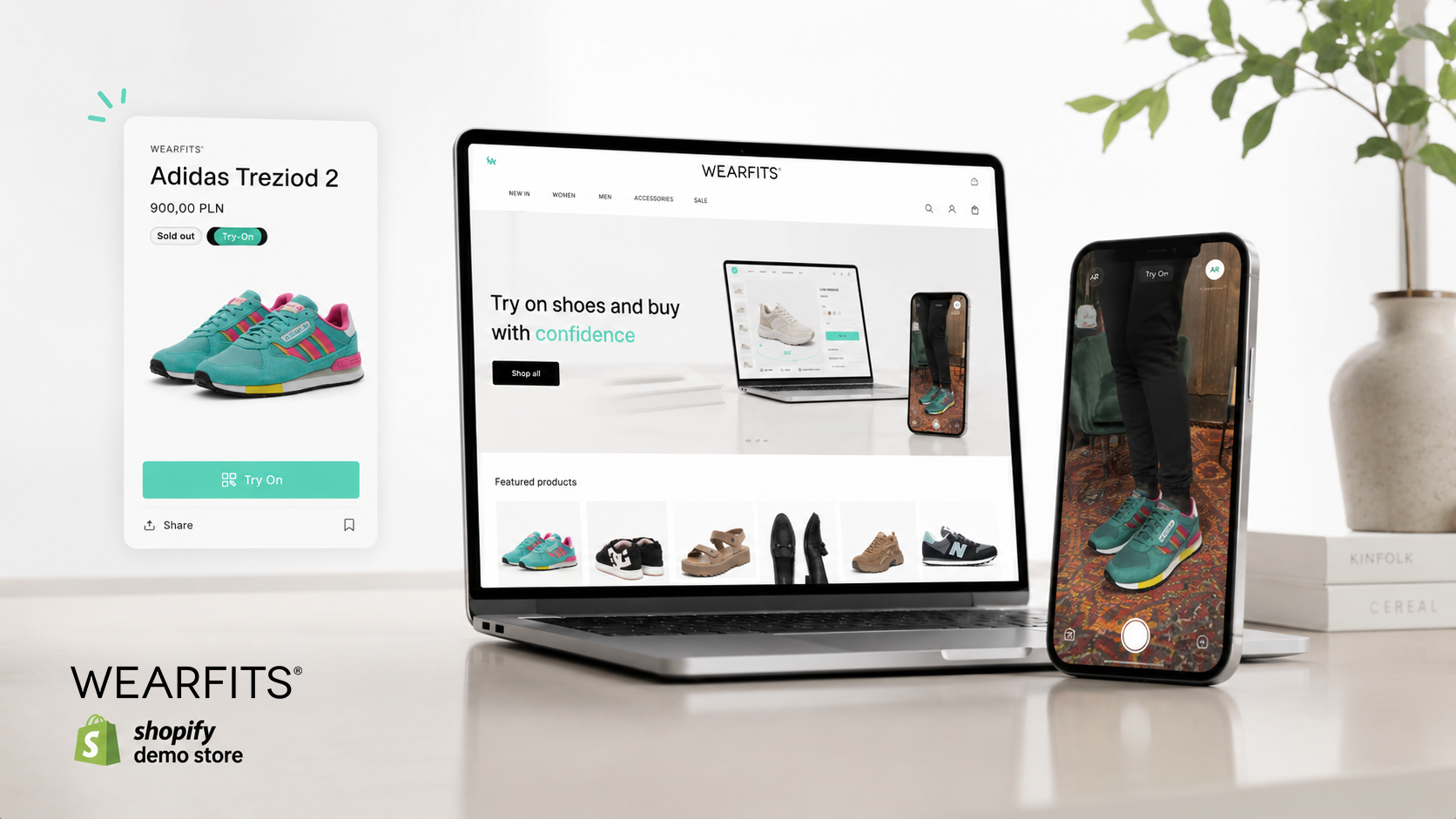
We’ve built a Virtual Try-On Shopify app, custom stacks, and mobile SDKs. The goal is that your catalog team can activate try-on in their existing workflow, not ours.
Before you sign with anyone (including us), ask:
1. How do you generate 3D assets for seasonal drops? If the answer involves CAD files, external 3D artists, or multi-day timelines, the platform will not scale to your full catalog.
2. How does my catalog team activate VTO without your involvement? If the answer requires support tickets or custom scripting, you’re buying a service, not a platform.
3. What happens at SKU 500? This is the question most vendors don’t want to answer honestly. If the demo only works on 10 hero products, you’re buying a pilot, not a production system.
We’re happy to answer all three. See how our pricing compares to traditional 3D workflows, or book a 20-minute demo and ask us the hard questions. We’d rather lose a deal on honesty than win one on hype.
Virtual try-on for shoes isn’t magic. It won’t fix your supply chain, redesign your product pages, or replace your marketing team. What it will do — if implemented properly — is give your customers the confidence to click “Buy” instead of “Maybe later.”
The brands that are winning at VTO right now aren’t the ones with the flashiest demo. They’re the ones that solved the boring parts: the asset pipeline, the device performance, the catalog coverage.
We’re still figuring things out ourselves. Every deployment teaches us something new. But if you’re a mid-market shoe brand that’s tired of static product photos and rising return rates, we think we can help.
No hype. Just a conversation.
Ready to talk? Book a 20-minute demo →