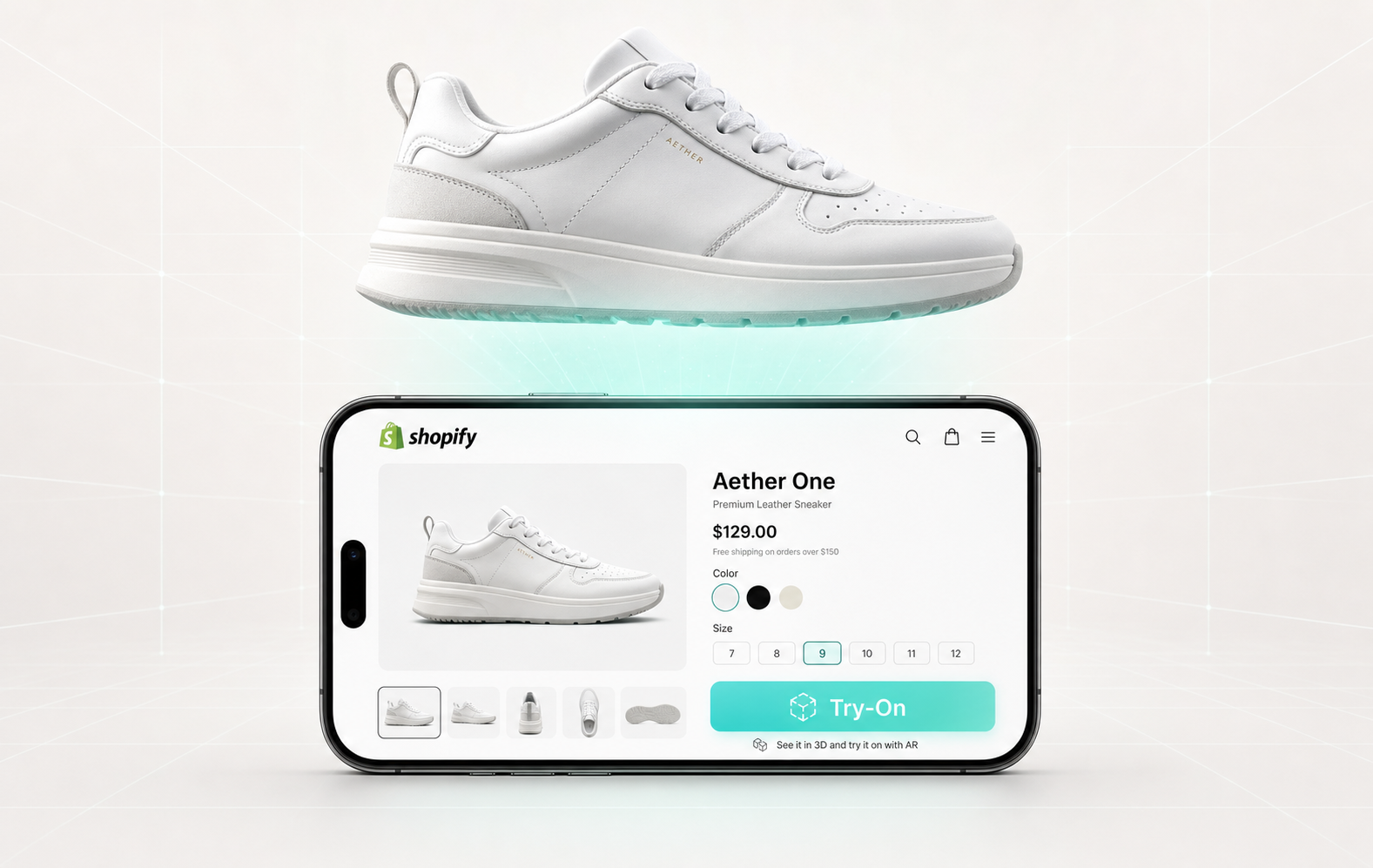
Let's get the obvious thing out of the way first: we just launched a Shopify app. So if you're reading this expecting a neutral comparison, you should know we're not neutral. We built one of the things being reviewed.
But the reason we're writing this isn't to brag. It's because we spent the last two years answering the same question from Shopify merchants — what's the best virtual try-on app for Shopify? — and the honest answer was always uncomfortable. The honest answer was usually some version of "it depends, and most of them won't actually ship to your store the way you want."
So here's what we'd tell a Shopify merchant who walked up to us at a conference and asked the question. Including all the parts that are inconvenient for us.
Install the WEARFITS app on Shopify →
The temptation when you write a "best of" article is to compare features in a big table. We've read a hundred of these and they all blur together. App A has 3D models. App B has AR. App C has a free plan. The features matter, but they're not what kills VTO projects on Shopify.
What kills VTO projects on Shopify is everything that happens after you click install.
The setup that takes three weeks instead of three hours. The 3D models you have to commission separately for $300 each. The "Try On" button that loads a five-second white screen on your customer's mid-range Android. The asset pipeline you have to manually update every time your catalog team ships a new collection.
So when we say "best," we mean: which app actually goes live, on your real product pages, across your real catalog, without your team filing a support ticket every Tuesday.
By that definition, the bar is much lower than the marketing pages suggest — and that's the gap we built our app to close.
We've talked to a lot of merchants who tried other VTO apps before finding us, and three patterns keep coming up. None of these are personal — they're structural problems with how most VTO platforms approach the Shopify market.
Most apps treat the 3D model creation as someone else's problem. You install the app, and then the friendly onboarding email tells you to upload your 3D models. You don't have 3D models. Your shoe brand has photos. Beautiful packshots from your last shoot, sitting in your CDN, ready to use.
So you get on a call with a "3D specialist," who quotes you $200–$800 per pair, with a 1–2 week turnaround per batch. You do the math on your 100-SKU catalog, swallow hard, and approve a pilot for 8 hero SKUs. Six months later, the pilot is still 8 SKUs. Welcome to The 3D Model Tax.
This is the single biggest reason VTO projects on Shopify stall. Not the tech. The asset pipeline.
If you only have try-on on 8 products in a 200-product catalog, you've created a worse problem than not having try-on at all. Customers experience inconsistency. Some products feel modern and interactive. Most feel like a flat catalog from 2014. Your conversion data is now contaminated — you can't tell whether the lift came from try-on or from the fact that the 8 products were already your bestsellers.
The version of VTO that actually moves your numbers is the one where every product has it. Not 8. All of them. And that's only possible if your 3D pipeline isn't a person you have to email.
We've watched this play out a few times: a merchant approves a VTO app after seeing the demo on the founder's iPhone 15 Pro at a conference. They roll it out. Their actual customers — most of whom are on mid-range Android phones with 3-year-old chips and questionable WiFi — open the product page and see... nothing. Or a frozen camera. Or a try-on that loads five seconds after they've already lost interest.
A VTO app for Shopify needs to assume your customer is on a Samsung Galaxy A-series, on the bus, on a flaky connection, with three other apps eating their RAM. If it doesn't work there, it doesn't work.
Before we get into how our app works, here's why any of this matters in the first place. Because if you're a Shopify merchant evaluating a VTO app, what you actually want to know is: does this move my numbers?
The research on online shopping behaviour is uncomfortable. The average attention span on a product page is typically around seven seconds. That is the window you have to convince a browsing visitor that your shoe is worth a second click, a closer look, an add to cart. Seven seconds. Static product photos lose that window almost every time.
A try-on button is the closest thing the industry has to a reliable way to win that window back. Here is what we typically see, and what the broader industry data backs up:
Up to +30% engagement on the product page. Visitors who interact with try-on stay on the page longer, scroll further, and explore more variants. The browsing visitor stops being a browsing visitor and starts being a shopper.
+5% conversion rate. This is the number Zalando has publicly shared from their virtual try-on rollout, and it lines up with what we see across our own deployments. Five percent on a product page is the difference between a quarter where the marketing team gets congratulated and a quarter where they don't.
Returns down by up to 15%. Most clothing and footwear returns happen because the customer was guessing. Try-on takes the guessing out. Fewer returns means fewer reverse logistics costs, less inventory damage, less margin erosion. The math compounds quickly.
Emotional involvement. This one is harder to quantify but matters more than the others. When a customer sees a shoe on their own foot, the relationship to the product changes. They are not evaluating a photograph anymore. They are imagining themselves wearing it tomorrow. That shift from evaluation to ownership is the entire engine of fashion e-commerce conversion, and try-on is one of the few tools that triggers it without sending the customer to a fitting room.
Those four numbers — engagement, conversion, returns, emotional involvement — are the actual reason VTO is on every fashion brand's 2026 roadmap. The question is not whether to add it. The question is which app actually delivers it on Shopify, on your real catalog, without becoming a project.
Which brings us to the part where we tell you about ours.
We'd rather be honest about what our app does and doesn't do than do the marketing dance.
Here's the actual thing. Our Shopify app fetches the product photos that are already on your PDPs and turns them into try-on-ready 3D shoe models, automatically. You don't upload anything. You don't commission anything. You install the app, point it at your catalog, and the app does the work.
That sentence — the app does the work — is the entire pitch.
In practice, this means we can cover 100 SKUs in under two hours. Not 100 SKUs in three months. Not 8 hero SKUs forever. The whole catalog, in less time than it takes to ship a Shopify theme update. We didn't get there by being clever about UI. We got there by spending years figuring out how to generate realistic 3D shoe models from a single 2D packshot, and then hooking that pipeline directly into the Shopify API.
The other thing we obsess over is realism. There's a real concern with photo-to-3D pipelines that the output ends up looking like a video game asset — flat textures, plastic-looking surfaces, the kind of try-on that customers tap once and never use again. We've seen the alternatives. Some of them are very expensive, very manual, and produce beautiful results. Our entire engineering bet was that we could match that quality without the manual work.
We're not the cheapest. We're not the only option. But the realism is good enough that customers can't tell the difference between our generated 3D models and the kind that costs $500 to make by hand. We've tested this with merchants who genuinely couldn't pick which models came from our pipeline and which came from their previous expensive vendor.
That's the differentiator we'd actually defend in a deposition.
Our Shopify app launched on April 27, 2026. Pricing starts at $49/month for up to 10 products, scaling to $199/month for up to 250 products. There's a 14-day free trial on every plan, so you can install it, point it at your catalog, and see the actual try-on running on your actual products before paying us anything.
Setup is the part we're most proud of. Install the app from the Shopify App Store. Connect it to your store. The app reads your existing product photos and starts generating 3D models in the background. Within a couple of hours for a typical catalog, you have a "Try On" button live on your product pages. We don't ask you to upload anything. We don't ask you to fill out a 12-field configuration wizard. We don't schedule an "onboarding call." (You can book one if you want — we like talking to merchants — but it's not required.)
If you want to understand the technical side of why this works the way it does, we wrote a longer piece on our photo-to-3D pipeline that explains the engineering trade-offs we made.
We promised honesty, so here's the inconvenient part.
Our current Shopify app handles shoes and bags out of the box — install it, point it at your catalog, and the try-on goes live for both categories without you doing anything. That covers the majority of footwear and bag brands on Shopify.
What it doesn't do automatically is backpacks, custom 3D product configurators (think: design-your-own-sneaker pages), or apparel. If any of those are on your list, the path is a quick conversation with us. Our broader try-on engine supports backpacks and configurators through our API, and our Gen AI clothing try-on is live for apparel brands directly through us — we just haven't packaged those into the Shopify App Store install flow yet. Reach out and we'll set it up for you.
And we're still small. We launched April 27. We don't have hundreds of reviews. Some of the apps we're implicitly compared against have been on the App Store for years and have battle-tested every edge case in a Shopify checkout flow. Ours has been live for a few weeks. We've covered the obvious ones — but we're going to find new ones, and when we do, we'll fix them faster than the bigger players because there are six of us in a room in Krakow and we don't need to call a meeting to push a fix.
If you're evaluating any try-on app for Shopify (ours or anyone else's), these are the four questions that will save you the most pain:
1. Where do the 3D models come from?
If the answer involves someone uploading them, doing a photoshoot, or paying per asset, multiply your catalog size by the per-asset cost. That's the real price of the app, regardless of the monthly fee.
2. How long does it take to get from install to live on a product page?
"A few hours" is the right answer. "We'll schedule onboarding" is not.
3. What happens when you add a new product?
You should not have to do anything. The app should detect the new SKU and generate the try-on automatically. If the answer involves a manual step, you've found the bottleneck that's going to kill your scaling.
4. Does it work on Android?
Ask them to send you a live link to a real product page running their VTO. Open it on whatever phone you have lying around — preferably not the latest iPhone. If it stutters or fails, you have your answer.
For shoe brands on Shopify? We're going to say yes, while admitting our bias.
The reason we'd defend that answer is the asset pipeline. Most VTO apps will give you a try-on button. Ours gives you a try-on button on every shoe you sell, automatically, within hours of install — at quality good enough that your customers don't have to squint to enjoy it. That combination — speed of deployment + realism + automatic catalog coverage — is the version of "best" that actually translates into shipped projects, not pilot decks.
If you sell shoes on Shopify, the smallest commitment you can make is a 14-day free trial. We'd rather have you install the app and run it on your actual catalog than read another comparison article (including this one).
If you sell something other than shoes — bags, apparel, accessories — we have answers, but they're not the Shopify app yet. Get on a call with us and we'll talk about whether our VTO engine makes sense for what you're building.
Either way, here's the door.
Ready to talk? Book a 20-minute demo →
Or if you'd rather just try the app: Install WEARFITS on Shopify →