Shopify
AR Try-On
2D-to-3D

If you sell shoes on Shopify, your app stack is your operating system. The wrong picks cost you money in three places: returns you could have prevented, reviews you never collect, and shipping margin you quietly hand to a carrier you forgot to negotiate with.
This guide is the opinionated version — which apps to actually install at which stage, mapped to the Shopify plan you're most likely on. No 30-app "ultimate list." Just what footwear merchants run.
We'll also do something most "best apps" lists skip: we'll talk about where virtual try-on for shoes fits at each stage. Most guides park AR in the "enterprise only" bucket. That's wrong. AR works on three different levers — conversion, engagement, and returns — and which lever matters most depends entirely on your stage.
Most "best Shopify apps" lists treat footwear like just another category in fashion. It isn't.
Three things change the math for shoe brands:
We'll keep coming back to these three when we evaluate each app.
Before app picks, a quick reality check on what each plan gives you, because some apps overlap with native features at higher tiers.
| Plan | Price | What it unlocks for footwear merchants |
|---|---|---|
| Basic | $29/mo | Solo founder mode. 2.9% + 30¢ online card rate. Limited reporting. |
| Shopify (Grow) | $79/mo | Up to 5 staff seats. Up to 87% off shipping (USPS/UPS/DHL). Standard reports. Lower 2.7% + 30¢ card rate. |
| Advanced | $299/mo | Live 3rd-party carrier rates at checkout. 15 staff seats. Regional tailoring. 2.5% + 30¢ rate. |
| Plus | $2,300/mo | Fully customizable checkout, B2B/wholesale, unlimited staff, priority 24/7 support, up to 200 POS Pro locations. |
Source: Shopify Pricing.
The key takeaway: don't pay for an app that duplicates something your plan already gives you. The most common offender is shipping — once you're on Grow or higher, Shopify Shipping already does most of what a basic shipping app does.
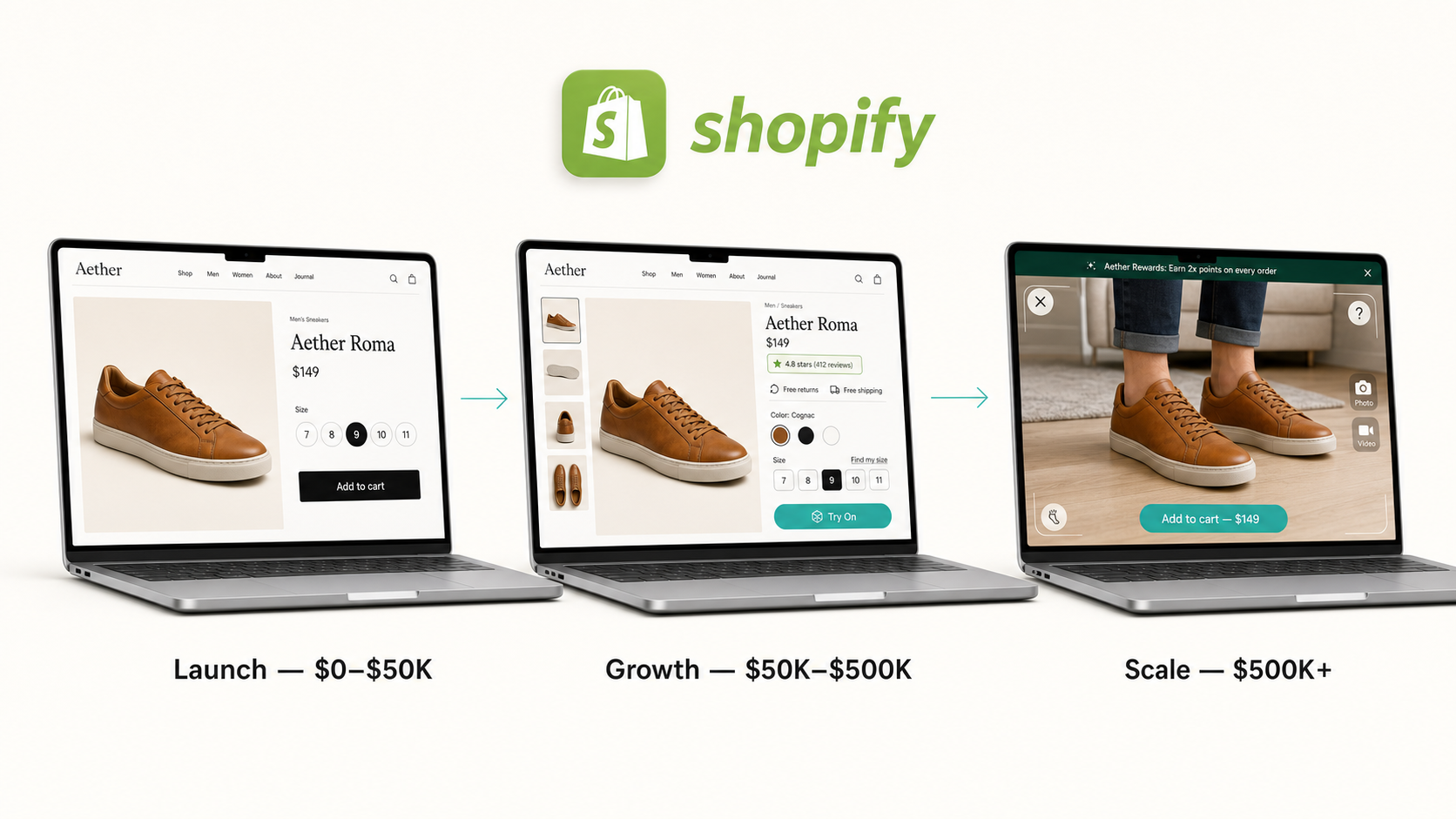
Before we get into picks, here's the mental model the rest of this guide uses. Every app you install pulls on at least one of three levers:
Virtual try-on for shoes is unusual because it pulls all three at once — but the dominant lever shifts as you grow:
We'll put a "where AR fits" callout in every stage below. Skip it if you're not interested. But if you're a small brand looking to stand out, it's the lever most "best apps" lists miss.
You are typically on: Shopify Basic ($29/mo)
Headcount: 1–2 people, often founder + a part-time helper
Pain points: No social proof yet, every dollar of CAC stings, you look like every other small Shopify store
At this stage, your app budget should be under $100/month total, ideally closer to $50. Free plans are your friend. Pick five apps. No more.
A no-brainer first install. Judge.me is the standard pick at launch because the free plan is genuinely usable: unlimited review requests, photo and video reviews, and Q&A. The Awesome plan ($15/mo) adds review carousel, custom fonts, and grouping reviews across product variants — useful when the same model comes in seven colorways.
Why this matters for shoes specifically: Search Engine Journal's research found 62% of shoppers say customer photos influence their purchase decisions. For footwear, those photos answer the "what does it actually look like on a real foot" question that no studio photography can.
Alternative at this stage: Loox is great visually but starts at $9.99/mo without a true free tier — pick it only if you already have UGC volume.
Until you hit ~1,000 subscribers, Shopify Email's 10,000 free emails per month covers welcome flows and basic broadcasts. Beyond that, move to Klaviyo's free plan (up to 250 contacts, 500 sends).
The mistake at this stage is paying for the wrong tool too early. You don't need predictive AI flows when you have 200 customers. You need a welcome series and an abandoned cart flow, period.
When to upgrade to paid Klaviyo: when your list crosses ~500 contacts and you start seeing meaningful repeat purchase data.
On Basic, you're paying $29/mo and you get USPS/UPS/Canada Post/Sendle discounts inside Shopify. You do not need ShipStation yet — you don't ship enough volume for the $9.99/mo subscription fee to be worth the second tab.
The exception: if you're shipping internationally from day one (we see this a lot with European footwear founders selling to the US), look at Easyship for live duties/taxes at checkout. Their free tier handles up to 50 shipments a month.
At this stage, an embedded size chart with proper conversion (EU/US/UK/JP) is enough. Kiwi Sizing has a free plan up to 50 charts. Smart Size Chart & Size Guide is another standard pick.
What you should do at this stage: write proper fit notes for each model. "Runs half a size large, take your usual size if you prefer a snug fit." Those sentences prevent returns better than any app.
Tidio's free plan gives you live chat plus 50 conversations a month with their AI agent. Shopify Inbox is free and integrates with Messenger and Instagram DMs. Pick whichever channel mix matches where your customers already message you.
Skip Gorgias at this stage — its typical monthly cost is $200–$800 for three to five agents, which is the wrong math when you're a founder doing all support yourself.
This is the part most launch-stage merchants don't expect us to recommend.
Conventional wisdom says wait on virtual try-on for shoes until you're "bigger." Conventional wisdom is partly right on the return-math angle — you don't have the order volume to make returns ROI sing yet. But it misses something bigger: at launch, your problem isn't returns. Your problem is that nobody knows you exist, and once they land on your store, you look like every other small Shopify shoe brand.
A working "Try On" button next to your product image does something none of your competitors at this stage have done. It signals premium, it gets shared on social ("look at this AR try-on I just did"), and it doubles your average session time on PDPs. Stanford research on AR shows shoppers stay engaged longer and form stronger product associations. At launch stage, that engagement is the entire game.
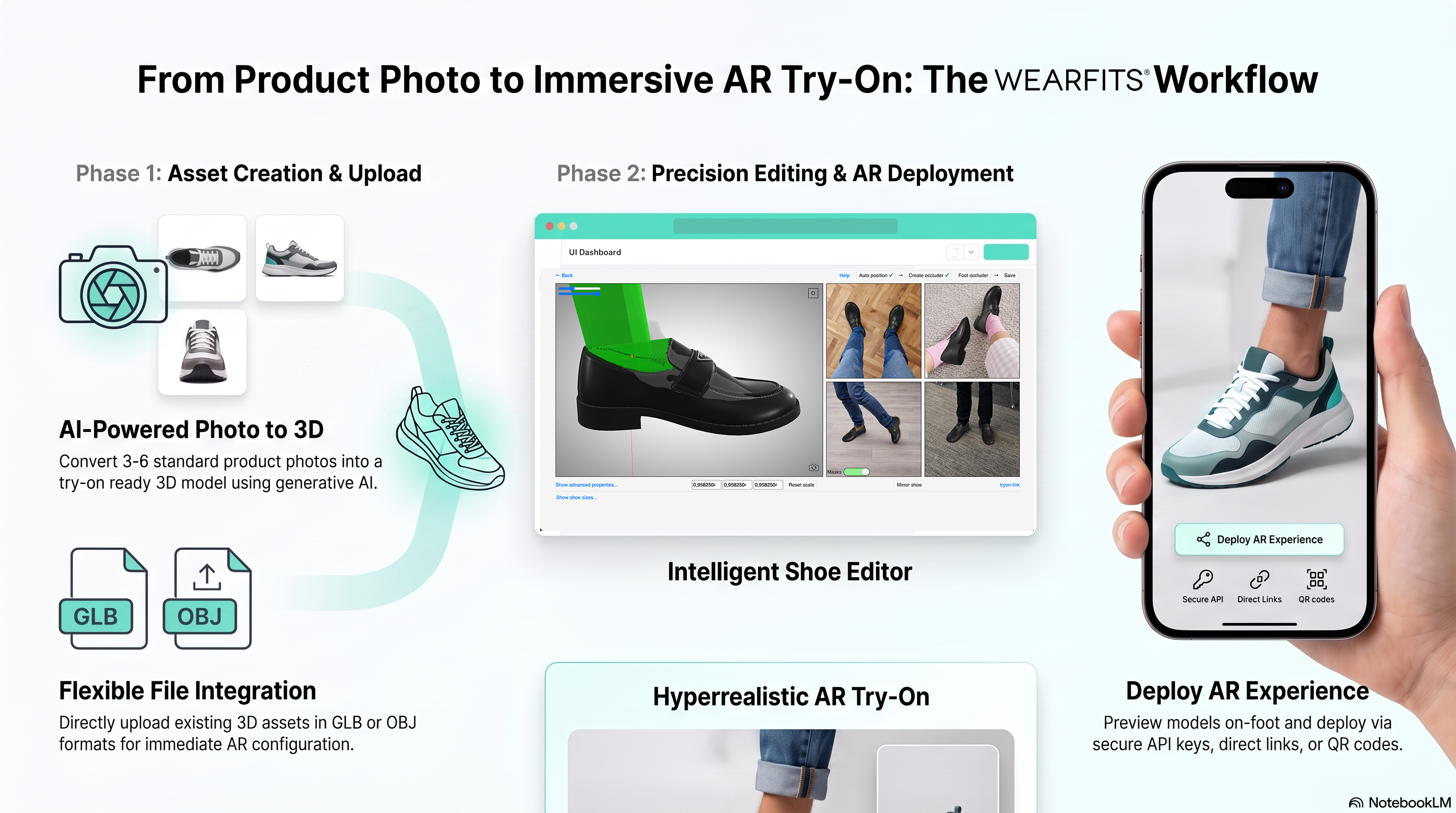
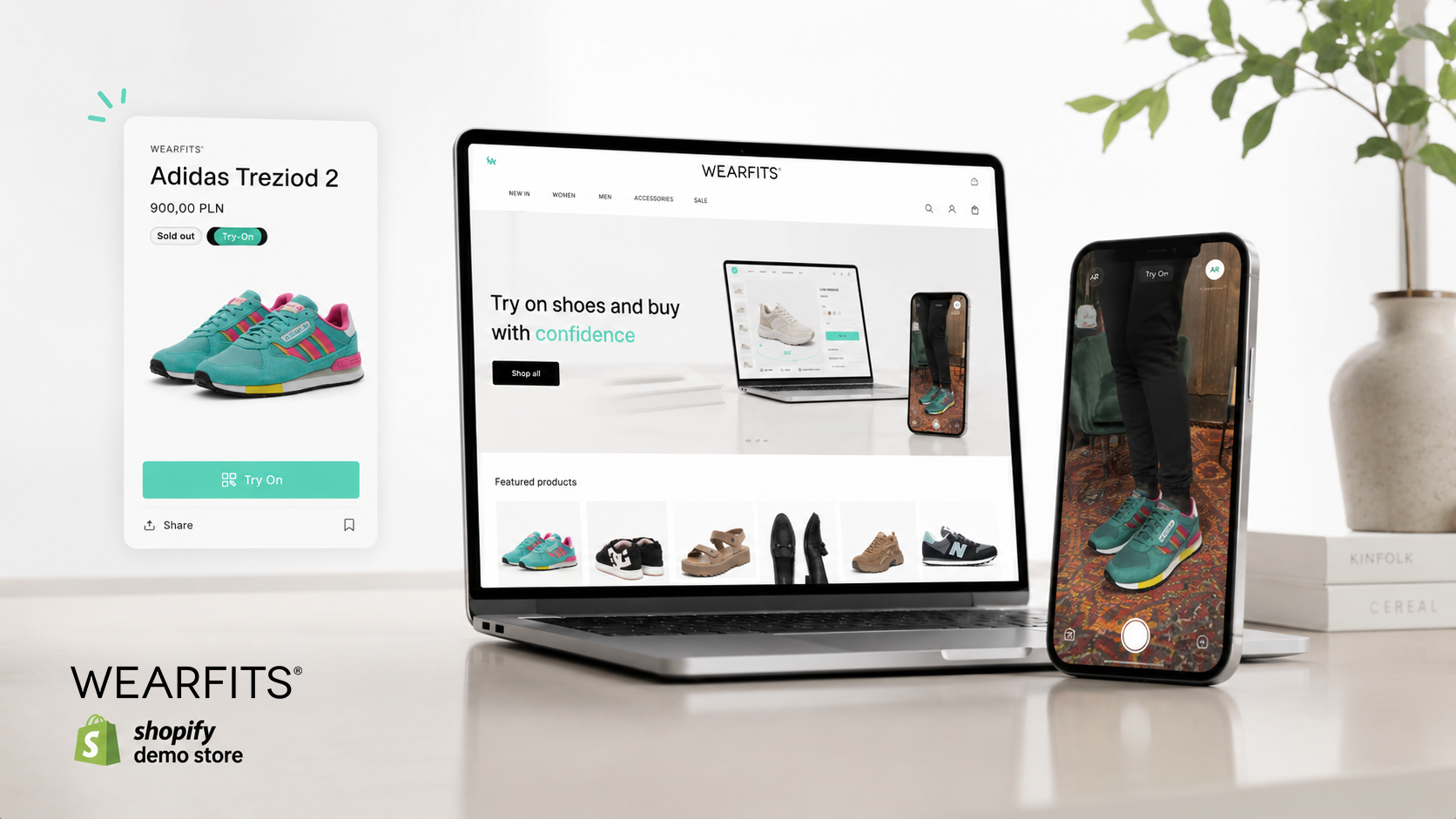
The app: WEARFITS Virtual Try-On. Install from the Shopify App Store. No CAD files needed — send packshot photos, the AI generates the 3D twin. Works on Shopify Basic. Pricing scales with usage, so the launch-stage commitment is low.
If you're going to use AR at this stage, lean into it. Put a "Try On" badge on your PDP image. Talk about it in your IG launch posts. Use it as the thing that makes your store memorable in the 30-second window a first-time visitor gives you. The conversion and return-rate wins come later — at launch, this is about engagement and brand signal.
Stage 1 total app budget: $0–80/mo (depending on AR usage).
You are typically on: Shopify Grow ($79/mo)
Headcount: 3–8 people, usually founder + ops + a marketer + part-time CX
Pain points: Returns are eating margin, you can see which SKUs convert but not why, repeat purchase is flat, ad costs are creeping up
This is where merchants make the biggest stack mistakes. Most over-buy: they install eight apps in a month because they read a "growth hack" thread on X. The real move at $50K–$500K is to install fewer apps, but proper ones, and to invest in returns, retention, and personalization — the three things that actually compound.
By Stage 2 you probably have enough review volume that you want richer display: grouped reviews across variants, video reviews on product pages, automated post-delivery requests timed correctly for footwear (we recommend 14 days after delivery, not 7, because customers need to actually walk in them).
Picks:
Online footwear returns sit around 18%, and fit is the dominant reason. The math: if your AOV is $130 and a return costs you $25 (label + restocking + lost margin), every percentage point of returns prevented across 1,000 monthly orders is worth $250/month. A 3-point reduction is $750/month, which more than pays for any sizing app on the market.
Picks:
What to set up correctly:
At Stage 1 you handled returns by email. At Stage 2 that doesn't scale. A proper returns portal does three things: gives the customer a self-serve path, converts refunds into exchanges or store credit, and gives you data on why returns happen so you can fix the root cause.
Picks:
The single most important setting in any returns portal: default the customer to an exchange or store credit, not a refund. Returns become revenue when the default path keeps the money inside your business.
By Stage 2, Klaviyo's paid plan is justifying itself. The flows that matter for footwear:
Picks:
The mistake we see most often: brands wait until Stage 3 to install loyalty, then realize they're trying to retroactively reward customers who already bought twice. Loyalty works best when it's there from the start of a customer's repeat journey.
Picks:
For footwear specifically: structure points around the actions that matter — leaving a photo review (+200 points), referring a friend who buys (+500 points), and second-purchase anniversaries.
Stage 2 is where founder-led support breaks. You're getting 30–80 tickets a week, half about sizing and shipping, and the email inbox approach starts losing tickets.
Picks:
The single biggest ticket-deflection lever for footwear is a clear, accurate sizing experience on the PDP — not a chatbot.
This is the stage where virtual try-on for shoes shifts from "engagement play" to "real conversion lever."
The math at Stage 2: with $50K–$500K/year revenue, you're processing roughly 300–3,000 orders/month. A conversion lift of even a few points on AR-enabled PDPs typically produces enough incremental revenue to justify the install several times over. AR-enabled product pages typically lift conversion up to 30%, and the click-through rate on PLP listings with a "Try On" badge can rise meaningfully compared to listings without one.
The personalization angle is just as important. AR shoes try-on is the most direct form of personalization in ecommerce — the customer doesn't see "the sneaker." They see "the sneaker on me." That's personalization without asking the customer to fill out a quiz, sign up, or share data.
A footwear brand at Stage 2 should be running AR on its top 10–20 SKUs minimum — usually its hero models, the ones doing most of the conversion. You don't need it on every variant yet; lead with the SKUs where the conversion lift is most measurable.
WEARFITS Virtual Try-On at this stage: install from the Shopify App Store, send packshots, the AI generates 3D twins for your hero SKUs, and you start measuring conversion lift inside 30 days. Pricing fits Stage 2 budgets — the per-asset modeling costs of traditional 3D pipelines (which can run $200–$800/SKU plus extra for 3D, according to public competitor pricing pages) are not part of how WEARFITS is priced.
Stage 2 total app budget: $200–700/mo.
You are typically on: Shopify Advanced ($299/mo) or Shopify Plus ($2,300/mo)
Headcount: 8–40 people, with proper ops, marketing, CX, and often a dedicated digital lead
Pain points: Returns still hurt, ad efficiency is dropping, you need to defend margin while growing, you're internationalizing
At this stage, you've earned the right to install enterprise tools. The question stops being "what app do I install" and starts being "what category of capability am I missing." Your stack becomes intentional. Here's what footwear brands at Stage 3 actually run.
Most shoe brands don't think of themselves as subscription businesses, and most aren't, in the strict sense. But there are real footwear subscription categories that work at Stage 3:
Picks:
By Stage 3, returns aren't a customer service ticket anymore — they're a P&L line item. The apps you used at Stage 2 (AfterShip, Return Prime) still work, but you'll likely want a returns platform with deeper analytics, exchange-first flows, and integrations with your warehouse software.
Picks:
At Stage 3, loyalty becomes a real revenue engine if you do it properly.
Picks:
Past ~$1M/year revenue, self-fulfillment usually starts to crack: you spend founder time picking and packing, your error rate creeps up, and you can't scale during peak. This is the moment a 3PL pays for itself.
Picks:
For footwear specifically, ask any 3PL the following before signing: how do they handle returns inspections, do they support exchange shipping, and do they have experience with boxed-pair SKUs.
At 8+ CX agents, Gorgias's higher-tier plans or a move to Zendesk start making sense. The key feature you're paying for is workflow automation, macro libraries, and integration with your returns and shipping platforms.
Footwear-specific tip: build a macro library for the top 10 sizing questions per model. The savings compound — every macro that prevents a back-and-forth is a 10-minute savings, and CX teams at this stage handle hundreds of those a week.
Native Shopify analytics doesn't go deep enough at Stage 3. You want true incremental ad attribution, cohort LTV, and category-level margin analysis.
Picks:
If you've crossed onto Shopify Plus ($2,300/mo), the platform unlocks features that compete with several of your existing apps:
Audit your stack quarterly at this stage. We've seen Plus merchants paying $4,000+/month for apps that duplicate platform features they're already paying for.
This is the stage where the WEARFITS install math gets unambiguous. At $500K+ annual revenue, virtual try-on for shoes pulls on all three levers at once, and each one is now measurable in dollars:
We made the case in detail in our shoe DTC economics post: for a $5M DTC shoe brand, the combined impact lands up to around $250K of annual P&L impact.
At Stage 3, the install question isn't "should I add AR?" — it's "why isn't AR already on every hero SKU?" For the implementation flow, see how to add virtual try-on to Shopify with no CAD files required.
Stage 3 total app budget: $1,500–8,000/mo depending on volume and how much you do in-house.
If you're an e-commerce manager or COO reading this with your stack open in another tab, here's the test:
We've run this exercise with several Shopify Plus footwear brands. The typical outcome: 15–25% of monthly app spend gets cut, with zero impact on revenue. The cuts are almost always upsell apps, abandoned-cart apps that duplicate Klaviyo flows, and "AI optimizer" widgets installed during a free trial and never reviewed.
The mature version of an app stack is the one where every line item has a number behind it. Including your virtual try-on app, by the way — we expect to be held to the same standard.
If you're a founder who wants the cheat sheet:
The single biggest mistake at every stage is buying the next stage's stack too early. Resist it.
What's the best Shopify app for shoe stores in 2026?
There's no single answer — it depends on stage. At launch, Judge.me for reviews and a virtual try-on for shoes (for engagement) are the highest-ROI single installs. At Growth, add a returns portal (AfterShip or Return Prime) and lean into AR for conversion. At Scale, virtual try-on compounds on all three levers — conversion, engagement, and returns.
Do I need a sizing app on Shopify Basic?
Yes — but a free or low-cost one. A proper size chart with country conversion and per-model fit notes is non-negotiable for footwear, even at $0/year revenue.
When should I install virtual try-on for shoes?
From Stage 1, if you want to stand out from other small Shopify shoe brands and build engagement. The return-rate ROI gets stronger at Stage 2 and dominant at Stage 3, but the engagement lever is real from day one.
Does AR try-on work on Shopify Basic?
Yes — WEARFITS installs on Shopify Basic through Plus. Plan-level limits don't restrict AR functionality; the install is the same regardless of which Shopify tier you're on.
Should I be on Shopify Plus as a footwear brand?
Generally only past $3M–$5M annual revenue, or earlier if you have specific Plus-only needs (custom checkout, B2B, 24/7 support). Below that, Shopify Advanced at $299/mo covers most footwear DTC use cases.
What apps duplicate Shopify Plus features?
Common ones to audit: upsell apps (Shopify Functions replaces many), wholesale apps (Plus B2B is solid for most cases), some loyalty widgets (Customer Hub now integrates loyalty natively), and automation tools (Shopify Flow replaces basic Zapier setups).
How many Shopify apps should a shoe store run?
Most successful footwear brands we've worked with run 8–15 active apps. More than 20 is usually a sign of stack debt. Less than 6 at Stage 2+ usually means missing critical capability.
Built by the WEARFITS team. We build AI-powered virtual try-on for footwear, bags, and apparel — installable on Shopify in minutes with no CAD files.